
Troubleshooting
Opened LeadWinner from Instagram or Facebook
Seeing "Let's continue in your browser"? One tap moves you to your regular browser, where Yelp, Thumbtack, and Google sign-in work.
Instagram and Facebook open links in their own built-in browser, where Yelp, Thumbtack, and Google sign-in don’t work reliably. Your regular browser has the same account, so nothing you’ve set up is lost.
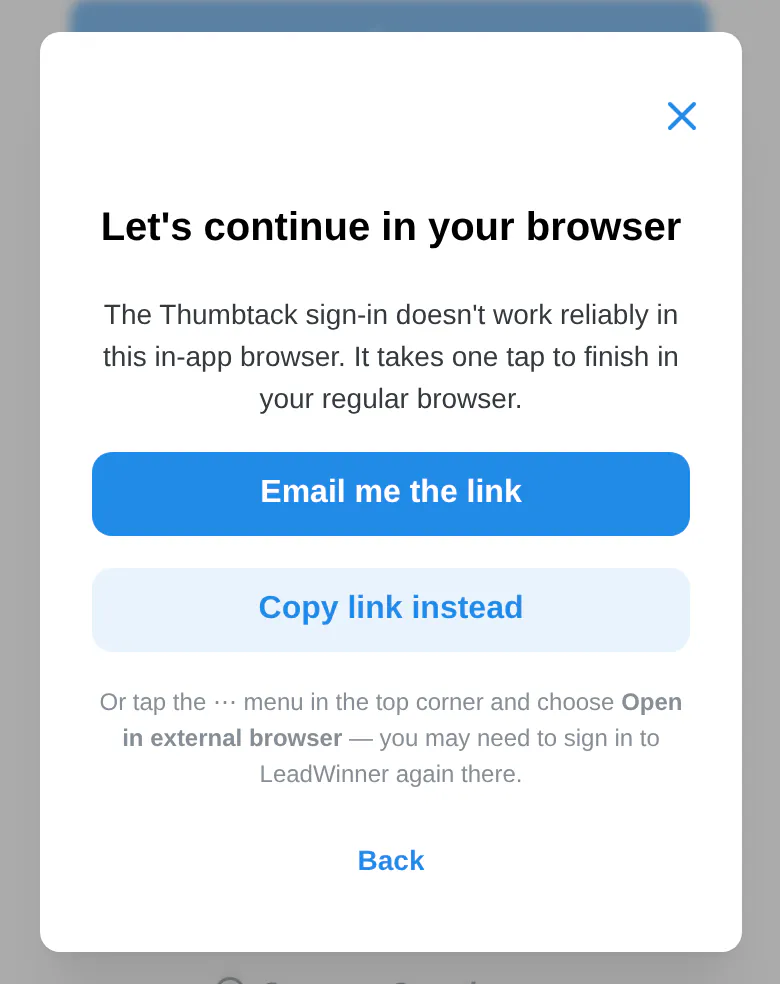
On iPhone
- In the “Let’s continue in your browser” window, tap Email me the link.
- Open that email on the same phone and tap the button inside.
- LeadWinner opens in your regular browser, already signed in, and your platform’s connect window opens by itself. If Create your password shows up first, set a password or tap Continue without a password.
No email? Tap Copy link instead and paste the link into Safari or Chrome.
On Android
Tap Continue in browser. LeadWinner opens in Chrome, already signed in, and your platform’s connect window opens by itself.
Signing up inside Instagram or Facebook
Use your email; Google sign-in often doesn’t work inside these apps. The email may have a Confirm email & continue button instead of a code; tap it.